
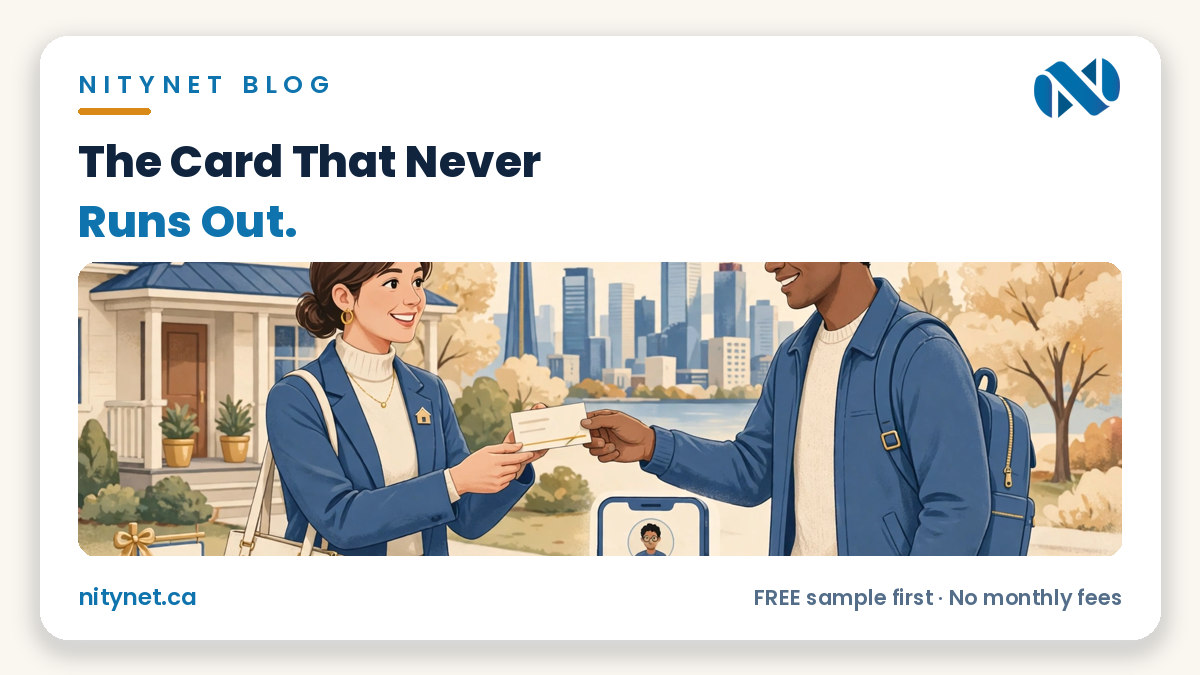
A digital business card for realtors is one short page — photo, name, brokerage, tap-to-call, tap-to-email, a save-contact button, and links to your listings and website — shared as a link or QR code. It never runs out, and updates everywhere the moment you change it. Paper wins in the room; the digital card wins after it.
What a digital card actually is — and is not
It is one page, one link, one QR code. A client taps the link in your text or scans the code on your sign or paper card, and one short page opens in their browser: who you are, how to reach you, where to see what you sell. Nothing to download.
It is not a website. A website carries the proof — listings, services, reviews. The card points at that proof; it does not replace it. It is not an app, and not a social profile. It does one job: make you reachable in one tap.
Do not take that on description alone. Open our sample digital visit card — clearly labelled as a sample, built for a law firm to show the mechanism, not a realtor example — and tap along: the call button calls, the email button writes, the save button offers the contact to the phone.
The card lives on your website as one more page — which is why it pairs with the choice between a one-page website and a full website: a card is neither shape. It points at whichever shape you have, and keeps pointing correctly as the site grows.
What belongs on a realtor’s card — and what does not
Judge every item with one test: could a client act on this in five seconds? Yes — it belongs. Decoration — no.
Your photo belongs — a current one that looks like you today; clients met a person at a showing, and the photo confirms the card is that person. Your name and brokerage, exactly as licensed, belong — spelled as your licence spells them, brokerage in full; a stylised name creates doubt where the card should remove it.
Tap-to-call and tap-to-email belong — buttons that dial and open an email already addressed to you, not a number printed as text to retype; every retyping step is where a busy client gives up. A save-to-contacts button belongs — one tap and your name, number, email and website sit in the client’s phone, findable months later. Your current listings link, website link, and service areas named plainly belong too.
What does not belong: last year’s listings shown as current, a price promise, a “top agent” claim the reader cannot check, and ten social links competing for one tap. A card is a doorway, not a brochure.
When paper still wins — honestly
Paper wins in the room. At a showing or open house, a physical card is a courtesy and a memory hook: it marks the end of a conversation, sits on the counter where the decision is discussed that evening, and asks nothing of the client — no phone out, no scanning, no signal. A link sent to someone in front of you can feel like a dismissal; a card in the hand feels like a promise. Paper also wins with the client who will never scan anything — serve them something they can use, not a lesson at their own door.
So keep paper — with the digital card’s QR code printed on it, so the two work as one system: paper does the courtesy in the room; the code does the saving and finding afterwards.
Where the digital card earns its keep
The number or brokerage change. Every change strands a box of printed cards, all confidently wrong, while copies already handed out keep circulating with the old details. A digital card is updated once, and every link and QR code already shared shows the new details from that moment — nothing handed out needs collecting.
The empty-box moment. The best conversation of the month happens at a rink or a coffee line — and the cards are in the car. A link travels by text in seconds; you are never out of cards, because the card is an address you share. Anyone whose work is introductions — a mortgage broker or stager — has the same moment.
The past client, years later. A client from three years ago is ready to move again. What survives is not the paper card but — if they tapped save — your contact, and behind it the card page showing your current number, brokerage and listings, because you updated it once when each thing changed.
The cost facts — once, plainly
At NityNet, the card is included free in every website package and in the $300 redesign — the wording our homepage carries today; check it there. We sell no standalone card and quote no card-only price, because none is published.
If you price a card elsewhere, ask the one question that separates a product from a picture: “When my details change, who updates the page — and what does the update cost?” A card you cannot update is paper with extra steps. The update is the product; everything else is layout.
The two-minute card check
Take out your current paper card — the one in your wallet. One: check every line against today: number, brokerage, photo, areas. Two: ask how many of last year’s clients could still reach you from the card you handed them then. Three: count what a stranger holding it cannot do — tap to call, save you in one tap, see one current listing.
If every line is still true, keep the paper and add the code. If any line is stale: every copy of it is stale, in every wallet it ever reached, and no reprint fixes copies already out. The check itself is the argument.
Frequently asked questions
Is a digital card instead of a website?
No. A digital card is a short page that points at your website and listings; alone, it carries contact, not proof. A client who wants your sales, services or reviews still needs the site behind the card. The card’s job is narrower: make sure they can reach you, and find you again, in one tap.
Do clients need an app or an account?
No. The card opens as a normal web page in the phone’s browser — no download, no sign-up, nothing installed. The save button uses the phone’s own contacts, the call button its dialler, and the camera reads the QR code. Verify that on the sample card linked above, on your own phone, in a minute.
What happens when I change brokerages or numbers?
The page behind your link is updated once — new brokerage, new number, new photo — and every link and QR code you have ever shared shows the new details immediately, including codes on paper cards already in clients’ hands. Nothing needs reprinting. That one update reaching every copy at once is the product.
What it costs with NityNet
| Package | Price (CAD, one-time) | For |
|---|---|---|
| Economy | $249 | One-page website |
| Starter | $600 | Up to 5 pages, contact form, tap-to-call, Google Maps |
| Business | $900 | Up to 10 pages, booking form, gallery, Google Business setup, blog |
| Online Store | $1,500 | Up to 30 products with secure payments |
| Website redesign | $300 flat (separate offer, not a package) | Refresh of an existing website |
Every package includes free hosting for 1 year and a free .com domain, a free digital visit card, and no monthly fees — free sample first. Our page on website design in Toronto shows how card and website work together. Our real portfolio is shahkar-renovation.com, aquaman369inc.com and cgscongregation.ca; everything else is a clearly labelled sample. Our Google Business Profile is created and awaiting verification — never “verified” or “listed” — and we make no “best” claim.
Want to see your own card before you commit to anything? Get your FREE sample first
Get your free, personalized sample first — your name, your brokerage, your photo, working buttons — before you pay anything.
Start with the order form on our homepage: https://nitynet.ca/ — or email info@nitynet.ca or call +1 (647) 504-4646. Packages from $249; free hosting for 1 year, a free .com domain, a free digital visit card, no monthly fees. Toronto & GTA based, serving businesses across Canada.