
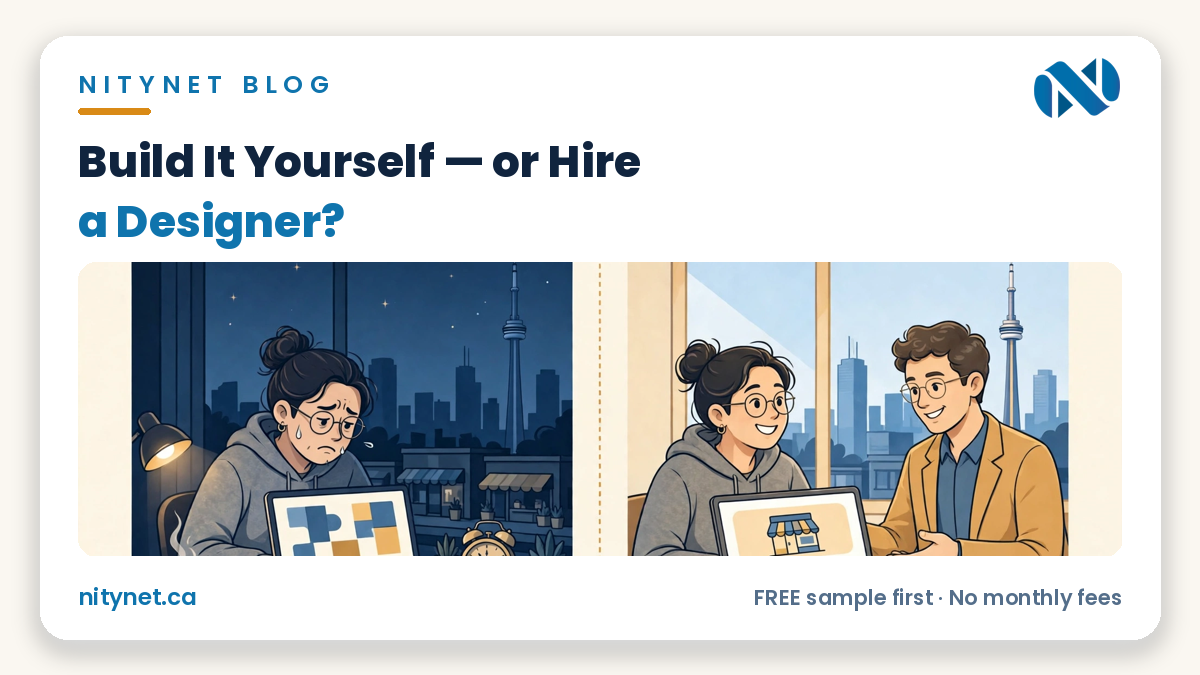
Build it yourself if you need one simple page, have a free weekend, and enjoy learning the tool. Hire a designer if the site must take bookings, payments or quote requests, look trustworthy on a phone, and be finished this month. If you are asking should I build my own website or hire a designer, the honest difference is rarely talent — it is time, and what breaks quietly when nobody checks.
What DIY really costs
DIY looks free because no invoice arrives. The costs are real — they are just paid in a different currency.
Time. A first website is rarely a Saturday afternoon. Choosing a template, writing pages, finding and resizing photos, connecting a form and fixing the phone view can stretch from a weekend into weeks of evenings. Count those hours honestly: they are hours not spent serving customers or resting. DIY has a price — it is simply not written on a bill.
The subscription. A builder charges every month or every year for as long as the site exists — the fee never ends, and you never finish paying for the site.
The learning curve. Every new job is a new lesson you teach yourself alone: why the form did not arrive, why the booking button broke on a phone, why the page looks different in real life. Together, they are the hidden syllabus of the DIY route.
What DIY does well — honestly
This case deserves to be argued properly, because for some businesses DIY is genuinely the right answer.
You keep total control. You can change a price, an hour or a photo the same day, in your own words, without emailing anyone. And for a very small presence — one page, your hours, your phone number, a map — a builder can be genuinely enough.
DIY fits, honestly, if you are a hobby turning into a business, a tradesperson who only needs to be findable with a phone number, or anyone testing an idea before spending real money on it. In those cases, build it and spend later with evidence.
If you do build it yourself, the tool choice is its own separate question — our honest comparison of Wix vs WordPress for a small business walks through cost, ownership and SEO for the two routes most owners choose between.
Where DIY quietly breaks
The problems with DIY rarely announce themselves. The site looks fine on the owner’s laptop, the page loads, and the failures happen silently, on other people’s phones.
The phone view nobody tested. Most customers will meet you on a phone, but most DIY sites are built on a large screen. Text readable on a monitor can be tiny on a phone, and buttons easy to click with a mouse can be almost impossible to tap. Would you catch this on your own site?
Forms that were never test-sent. A contact form can look perfect and still send enquiries nowhere — a wrong email address, a spam filter, a setting never switched on. The customer thinks they contacted you. You think nobody enquired. Would you catch this on your own site?
Prices and hours that drift stale. Updating a DIY site often feels like a chore, so it waits. Then the website says one price, Google says another, and the shop door says a third — and a customer who finds two answers trusts neither. Would you catch this on your own site?
No second pair of eyes. Nobody whose job is to notice checks the finished site: not the spelling, not the hours matched to Google, not whether the main button works. The owner sees what they meant to build. A stranger sees what is actually there. Would you catch this on your own site?
What hiring a designer actually buys
Hiring a designer does not mainly buy a prettier site. It buys three plainer things.
A finished date. The site is someone’s job, with an end — not a project that competes with your evenings and loses to a busy week. If it needs to be live this month, that date alone can be the whole argument.
The checks, run by someone who runs them on every build. The phone view tested on a real phone. Tap-to-call in one tap. Every form test-sent and confirmed arrived. Hours and address matched exactly to Google. Prices readable where a customer decides. Our page on website design in Toronto shows how those checks sit inside a finished small-business site, and our clearly labelled Flamingo Floral sample site shows the result — clearly marked as a sample, because it is one.
Your weekend back. The hours in the first section of this post stay yours, for the business only you can run.
One honest line about what hiring does not buy: a designer alone does not buy traffic or rankings. A well-built site is the foundation — it is not, by itself, a promise that either will arrive. Anyone who sells you a ranking is selling something they cannot control.
If you decide the designer route is yours, the next question is which designer — our guide to how to choose a web designer in Toronto gives you the nine questions to ask before you pay anything.
The decision checklist
Answer these five questions about your own business, honestly, in plain yes or no:
1) Do customers need to book, order or request a quote online?
2) Will the site carry prices?
3) Do you have a full weekend, honestly — and the evenings after it?
4) If the contact form broke tomorrow, how would you know?
5) Does the site need to be live this month?
Scoring, in plain words: if your answers lean DIY — no online booking, no prices, a real weekend you are happy to spend, and no deadline — build it yourself. If two or more answers point to a designer, the fee is not buying decoration. It is buying exactly the things your answers flagged.
Frequently asked questions
Can I start DIY and hire someone later?
Yes — many businesses do, and it can be a sensible order. The honest caveat: a designer will usually rebuild rather than rescue a builder site, so a later build often costs the same as building fresh. The DIY months are the real spend.
I already started a builder site and I am stuck — is that normal?
Completely normal. The stuck point is almost always the same three things: the phone layout, the forms, and finishing the last 20 percent. A designer can finish or rebuild — and a free sample shows which yours needs before you pay.
How do I avoid hiring the wrong designer?
Ask the nine questions before you pay anything: total cost, who owns the site and domain, what happens if you want changes, how the phone view is tested, and the rest of that checklist. A designer who answers plainly, in writing, is already telling you how working with them will feel.
What the designer route costs with NityNet
| Package | Price (CAD, one-time) | For |
|---|---|---|
| Economy | $249 | One-page website |
| Starter | $600 | Up to 5 pages, contact form, tap-to-call, Google Maps |
| Business | $900 | Up to 10 pages, booking form, gallery, Google Business setup, blog |
| Online Store | $1,500 | Up to 30 products with secure payments |
| Website redesign | $300 flat (separate offer, not a package) | Refresh of an existing website |
Every package includes free hosting for 1 year and a free .com domain, with no monthly fees — and the free sample comes first. Our real portfolio is shahkar-renovation.com, aquaman369inc.com and cgscongregation.ca; everything else we show is a clearly labelled sample. Our own Google Business Profile is created and awaiting verification — we never call it verified or listed, and we make no “best” claim for ourselves.
Still deciding?
Still deciding? Do not decide on words — see your own business built properly, free, and compare it against anything you could build this weekend. Get your free, personalized sample first, with the exact package price confirmed in advance.
Start with the order form on our homepage: https://nitynet.ca/ — or email info@nitynet.ca or call +1 (647) 504-4646. Packages from $249; free hosting for 1 year, a free .com domain, and no monthly fees. Toronto & GTA based, serving businesses across Canada.